The ability to create, distribute and use video(s) about your tree service business, whether safety-related, training-related, marketing-related or sales-related can pay off big for a tree service business. Video is everywhere and it's no secret that tree care businesses are using it to train their staff, market their businesses, generate tree service leads and close customers as well...most times with overwhelming success.
Over the past fifteen months, we've seen a drastic change in how social media sites like Facebook, Instagram and Snapchat present, interact and incorporate video into their platforms and into our everyday lives. In addition, over the past two years, we've seen a drastic increase in competition levels of the tree care businesses in just about every geographic area we looked at. That means in order to get quality tree service leads, you need to be a tree service marketing machine too.
The point being is this: video is part of everyday life for consumers looking to make a purchase of a product or service. So, as a tree service provider, you need to incorporate video into your business.
How do you get started using video if you've never done it before? We put together a quick list of things to think about when it comes time to produce a video for your business so you can be a success in the tree care industry.
1. Goals and Objectives
Know what you want to accomplish with your video. Is it a training video for internal purposes? A marketing video to increase awareness and branding? A safety video on working around power lines? A sales tool to show customers how good your team is when bidding a job. Whichever you may use it for, the rewards will far outweigh the challenges. It is important to remember to keep your videos laser-focused on one subject, topic, or purpose. Do not try to kill 2 birds with one stone and address two topics within one video, having multiple videos is not a bad thing.
2. Define the Audience
This might be an easy one for you if it's for internal purposes. However, if it is going to be used for marketing and sales then a little more thought may need to be put into this. Defining where you're going to put the video, how you're going to use it and who specifically is the video for will get you closer to the answer. For example: we want a video to close a potential customer while we're onsite bidding the job. We take the iPad/tablet and show the customer exactly how the job will be done and with what pieces of equipment. That way they don't have to envision anything or wonder how it's going to be done or if their property is going to get messed up. They will see the proof right there in the video.
However, the video used to close the customer will be different from the one you use to get the appointment in the first place. People are usually in three categories when they want or need to make a purchase: the consideration phase, awareness phase and decision phase. The video you'll need in the consideration phase is different than the video you'll use in the decision phase. If you have this figured out before you produce the videos then you'll save yourself a lot of time, money and effort.
3. Create the video
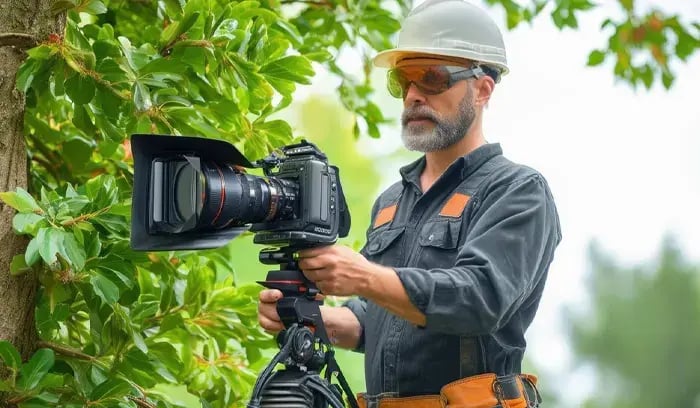
Often times this is where people get hung up. There are a lot of elements that go into the creation of a professional video. Not only do you have to shoot quality footage but then you have to edit the footage and perhaps add graphics as well. That may not sound like a lot but when you get into the technical specifications of actually doing it, it's a different ballgame. You need to know framerates, pixel dimensions, codec formats and optimization techniques (if going on the web). That's not to mention proper shooting techniques and knowing enough about editing to actually cut a video that tells a story. But forget about all that technical stuff, we can help you if you need assistance in any of those areas. What you need to figure out is:
Do I script this thing or not? This will come back to the type of video you're making. If it is a training video or safety video then perhaps you will want to script it so you don't miss any topics. If it is a video demonstrating how you cut a tree down or a video showing a piece of equipment then probably not. The script doesn't have to be anything formal, just use it as a guideline or blueprint. If you are comfortable talking about a subject off the hip (with no script), you can come across as more genuine (less robotic) if done correctly. That means no long awkward pauses between thoughts and definitely no "um"
Location. You need to figure out the location of where you're going to shoot. Again this depends on the type of video. You could do it in a controlled indoor environment or you could do it onsite at your next job. Mostly, this will depend on the speaking parts and the equipment you need access too. Remember, if you do it onsite, make sure you have a larger microphone that picks up your voice alone. This will help eliminate the sound of a chainsaw, chipper or other heavy machine running in the distance.
4. Distribute / broadcast / show your video. Knowing who you produced the video for relates to this. If it's a sales video maybe it is just going on the iPads. If it is going on the web then you'll need the right channels to properly distribute the video so people see it. Uploading it to YouTube, social media sites and (hopefully) on your own site is just the start. Making sure the video is properly optimized for the correct keywords is going to make a huge difference in the views it receives. Video marketing and video SEO can get more than complicated so if you don't know what you're doing, seek help. Otherwise, you run the risk of hurting yourself in search engines rather than helping. Don't underestimate the complications of getting your videos onto a tablet or phone. The videos will have to be optimized in order to play efficiently and in some cases may need to be converted to a different format.
5. Analyze
You need to know the performance of your videos and hopefully, you have some sort of analytics software or platform that you can use. Analytics will help you discover things like the number of views, the number of shares and the engagement rates of the video. Analytics are there to help you understand and adjust your videos. If set up correctly it will establish the value your videos are providing to the tree service community.
If you're part of our tree service marketing program then you know we are serious about using video to garner tree service leads.




Leave a Comment